
Last reviewed: October 10, 2026
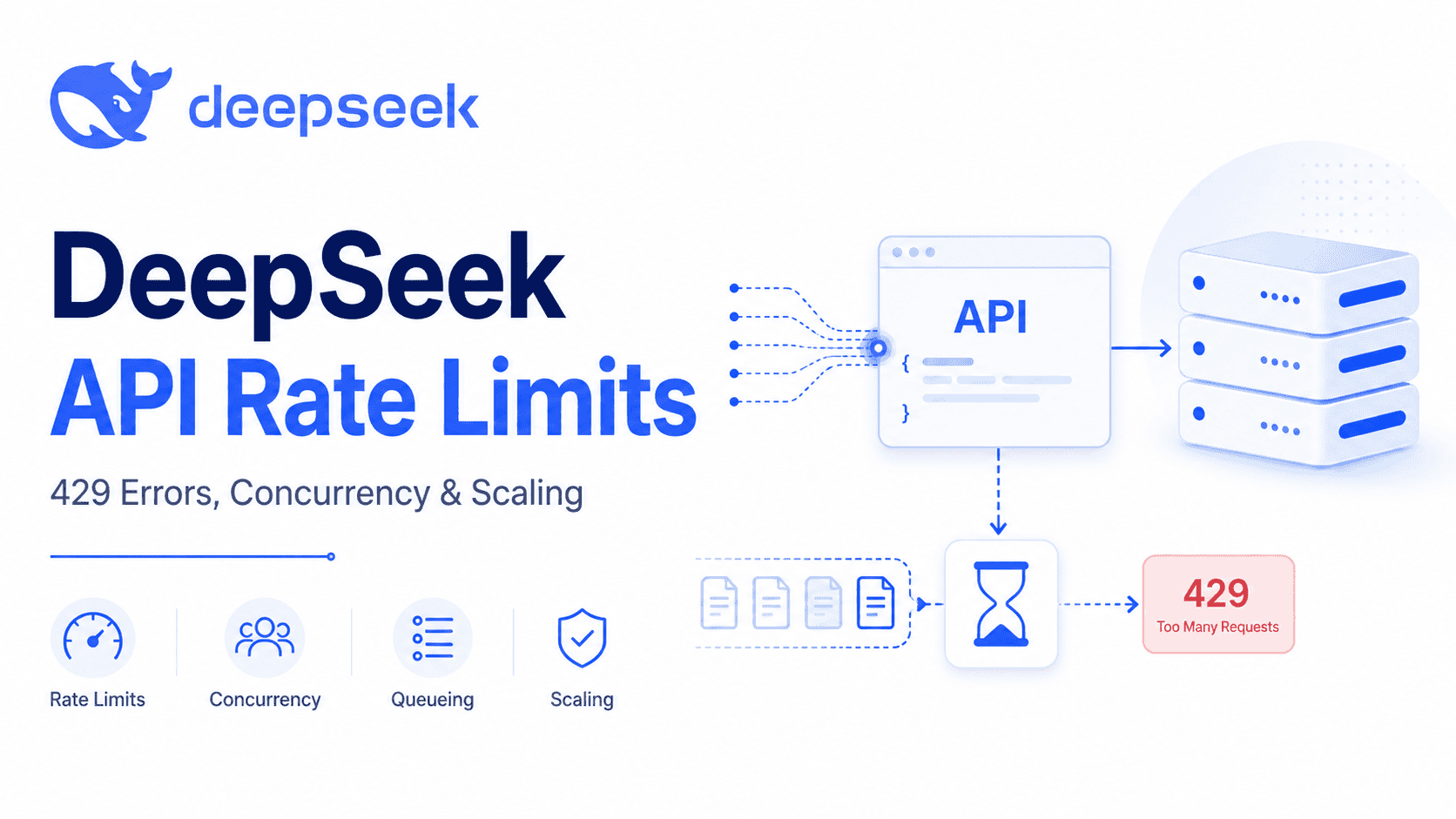
DeepSeek API rate limits are currently documented mainly as concurrency limits, not as classic requests-per-minute or tokens-per-minute quotas. In DeepSeek’s official Rate Limit & Isolation documentation, each account has a model-specific concurrency limit: 2500 concurrent requests for deepseek-flash and 500 concurrent requests for deepseek-v4-pro. A request counts as one concurrent connection from the time it is sent until the model response is complete. DeepSeek Rate Limit & Isolation
The key detail is that these limits are calculated at the account level, regardless of which API key is used. Creating multiple API keys does not give each key a separate concurrency pool. If your account exceeds the concurrency limit, DeepSeek returns an HTTP 429 Rate Limit Reached error.
This guide explains the current official limits, what counts as a concurrent request, why streaming and long responses matter, how user_id isolation works, how 429 differs from 503 and 402, and how to design queues, streaming-safe concurrency controls, and bounded retries with the current OpenAI Python SDK exceptions.
Quick answer: what are DeepSeek API rate limits?
DeepSeek’s public documentation does not currently present a fixed RPM or TPM table. Instead, the official Rate Limit & Isolation page documents model-specific concurrency limits.
| Model ID | Official concurrency limit | How it is counted | What happens if exceeded? |
|---|---|---|---|
deepseek-flash | 2500 | One in-flight request counts from send time until the model response is complete. | DeepSeek returns HTTP 429. |
deepseek-v4-pro | 500 | One in-flight request counts from send time until the model response is complete. | DeepSeek returns HTTP 429. |
These limits apply per account, not per API key. That means a backend service, worker pool, agent framework, and batch job using different keys under the same account can still hit the same account-level concurrency ceiling.
If you need more capacity, DeepSeek says you can submit a capacity expansion request. The same documentation says there is no additional cost for capacity expansion, and DeepSeek will match the appropriate concurrency based on actual business needs.
Current DeepSeek API concurrency limits by model
For production planning, start with the official model IDs in DeepSeek’s current API documentation. The Rate Limit & Isolation table uses deepseek-flash and deepseek-v4-pro.
| Model name | Current role | Concurrency limit | Production note |
|---|---|---|---|
deepseek-flash | Current API model name for DeepSeek-V4.1-Flash. | 2500 | Best default starting point for most current API examples and high-throughput workloads. |
deepseek-v4-pro | V4 Pro API model listed in DeepSeek docs. | 500 | Use only after checking current routing, pricing, and model status in DeepSeek docs. |
Model routing can change. DeepSeek’s API changelog says DeepSeek decided to continue providing API services for deepseek-v4-pro after September 14, 2026, with billing remaining unchanged. That matters because earlier V4.1 Flash transition messaging led some developers to expect V4 Pro routing changes. For rate-limit planning, rely on the current Rate Limit & Isolation page and the current Models & Pricing page before deployment. DeepSeek API Change Log
What counts as a concurrent request?
A DeepSeek API request counts as one concurrent connection from the moment the request is sent until the model response is complete. This is different from a simple requests-per-minute counter.
That means short requests release concurrency quickly, while long requests occupy a concurrency slot for longer. A streaming request, a long output, a complex reasoning request, or a slow tool-driven workflow can keep an in-flight slot occupied until the response finishes.
For example, if your application sends 1,000 requests at once to deepseek-flash and each completes quickly, you may stay under the documented concurrency limit. If your application sends thousands of long-running streaming requests, you can hit the concurrency ceiling even if your requests-per-minute number looks reasonable.
Are DeepSeek limits per account or per API key?
DeepSeek’s documentation says concurrency limits are calculated at the account level, regardless of which API key is used. This is one of the most important details for teams.
| Question | Answer |
|---|---|
| Does each API key get its own concurrency limit? | No. The documented concurrency limit is calculated at the account level. |
| Can multiple API keys bypass the limit? | No. Multiple keys under the same account still share the account-level limit. |
| Should teams still use separate keys? | Yes, for security, rotation, environment separation, and usage management—not for bypassing limits. |
| What should production systems control? | Account-level in-flight requests, ideally broken down by model, service, tenant, and queue. |
If you operate multiple services under one DeepSeek account, coordinate concurrency centrally. Otherwise, one service can consume the shared concurrency pool and cause 429 errors for another service.
What causes HTTP 429?
DeepSeek returns HTTP 429 when the concurrency limit is exceeded. The official Error Codes page labels this as Rate Limit Reached and advises users to pace requests reasonably. DeepSeek Error Codes
In practice, 429 usually means one of these things:
- Your app sent too many requests in parallel.
- Your workers scaled up faster than your concurrency guardrails.
- Streaming or long responses kept too many requests open.
- Retries multiplied traffic after a temporary issue.
- Several services under the same account shared the same concurrency pool.
- A single tenant or customer created a traffic spike.
- You assumed limits were per API key instead of per account.
Do not solve 429 by creating more keys. Solve it by limiting in-flight requests, queueing work, reducing unnecessary long outputs, and requesting higher concurrency if your sustained production traffic requires it.
429 vs 503 vs 402 vs 401
Not every failed request is a rate-limit problem. DeepSeek’s error codes separate authentication, balance, rate limit, invalid request, and server-side overload cases.
| HTTP code | DeepSeek label | Likely meaning | What to do |
|---|---|---|---|
401 | Authentication Fails | The API key is wrong, missing, deleted, or not being sent correctly. | Check the key, environment variable, and Authorization: Bearer header. |
402 | Insufficient Balance | The account has run out of balance. | Check billing and balance. Do not retry aggressively. |
422 | Invalid Parameters | The request body or parameter values are invalid. | Fix the request payload, model name, or unsupported parameters. |
429 | Rate Limit Reached | Too many requests are being sent too quickly, or concurrency has been exceeded. | Queue, throttle, and retry carefully with backoff. |
500 | Server Error | A DeepSeek server-side error occurred. | Retry cautiously and monitor recurrence. |
503 | Server Overloaded | The server is overloaded due to high traffic. | Retry after a short wait; do not treat it as your account concurrency limit. |
The most common confusion is treating 503 as the same thing as 429. They are different. A 429 means your request pattern exceeded the documented limit. A 503 means the service is overloaded. A 402 means billing or balance, not rate limiting.
How user_id isolation works
DeepSeek’s Rate Limit & Isolation page includes a user_id parameter for fine-grained management of business-side users under the same account. It supports three isolation ideas: content-safety isolation, KVCache isolation, and scheduling isolation.
user_id function | What it means | Important caveat |
|---|---|---|
| Content safety isolation | DeepSeek can distinguish user identities on your business side for content-safety handling. | Do not put private information directly in user_id. |
| KVCache isolation | user_id helps isolate KVCache for users on your business side for privacy management. | It is not a substitute for your own privacy and tenant-isolation controls. |
| Scheduling isolation | user_id can help isolate scheduling across users. | For regular API users, all user_id values are combined for concurrency-limit calculation. |
For regular API users, user_id does not multiply the account-level limit. DeepSeek’s docs say all user_id values are combined for concurrency-limit calculation. For API users with increased concurrency quotas, DeepSeek may limit total account concurrency and also impose per-user_id limits.
The user_id value must match the documented regex [a-zA-Z0-9\-_]+, with a maximum length of 512. DeepSeek explicitly says not to include user privacy information in user_id.
OpenAI-compatible request example
When using OpenAI Chat Completions through the OpenAI SDK, DeepSeek says to pass user_id under extra_body.
response = client.chat.completions.create(
    model="deepseek-flash",
    messages=[{"role": "user", "content": "Hello!"}],
    extra_body={"user_id": "customer_123"}
)
Use an internal pseudonymous identifier, not an email address, phone number, full name, or raw database primary key that exposes private information.
Streaming, long responses, and keep-alive behavior
Long responses matter because concurrency is measured by in-flight connections. A request remains active until the model response is complete.
DeepSeek also documents a request keep-alive mechanism. After a request is sent, it may take time to receive the model response. During that waiting period, the HTTP request remains connected. For non-streaming requests, DeepSeek may continuously return empty lines. For streaming requests, it may return Server-Sent Events comments such as : keep-alive. These keep-alive contents should not break JSON or SSE parsing if handled correctly.
DeepSeek also says that if a request has not started inference after 10 minutes, the server will close the connection. That is not the same as a rate-limit error, but it matters for timeout settings and user experience.
For production systems, this means:
Your application-side limiter must use the same lifetime. For a non-streaming request, keep the permit until the awaited call returns the complete response. For a streaming request, keep the permit until the stream has been fully consumed or explicitly closed. Acquiring a semaphore only while creating the stream and then returning the stream object releases the local slot too early, even though DeepSeek still counts the connection as in flight.
- Set timeouts that account for long-running model responses.
- Do not treat empty keep-alive lines as invalid JSON.
- Do not treat
: keep-alivestreaming comments as answer text. - Remember that long-running requests occupy concurrency slots.
- Track in-flight request count separately from request rate.
How to avoid rate-limit errors in production
The safest production pattern is to control concurrency before requests reach DeepSeek. Do not let every web request, background job, or agent worker call the model at once.
Use a concurrency limiter
Use a semaphore, worker queue, or centralized limiter per model. Keep the application limit below DeepSeek’s documented account ceiling so you have room for other services, retries, traffic spikes, and long-running responses. A local asyncio.Semaphore coordinates only the Python process that created it; multiple workers or servers need a shared queue, lease, or distributed limiter.
Non-streaming example
The safest compact example is explicitly non-streaming. The semaphore remains held until the SDK has received and parsed the complete response:
import asyncio
import os

from openai import AsyncOpenAI

DEEPSEEK_FLASH_ACCOUNT_LIMIT = 2500
APP_LIMIT = 100  # Application choice, not an official recommendation.

semaphore = asyncio.Semaphore(APP_LIMIT)

client = AsyncOpenAI(
    api_key=os.environ["DEEPSEEK_API_KEY"],
    base_url="https://api.deepseek.com",
    max_retries=0,  # A custom retry loop is defined in the next section.
)


async def create_completion_with_limit(messages):
    async with semaphore:
        return await client.chat.completions.create(
            model="deepseek-flash",
            messages=messages,
            stream=False,
            max_tokens=1024,
            extra_body={"thinking": {"type": "disabled"}},
        )
The example does not set APP_LIMIT to 80% of 2500 because one process may share the account with other applications. Choose a local value from measured traffic and centrally allocated capacity, not merely from the published account maximum.
Streaming-safe rule
Do not put only the stream-creation call inside the semaphore and return the stream object. Keep the permit around the complete async for loop so it is released only after the terminal chunk:
async def collect_stream_with_limit(messages) -> str:
    parts: list[str] = []
    final_finish_reason = None

    async with semaphore:
        stream = await client.chat.completions.create(
            model="deepseek-flash",
            messages=messages,
            stream=True,
            max_tokens=1024,
            extra_body={"thinking": {"type": "disabled"}},
        )

        async for chunk in stream:
            if not chunk.choices:
                continue

            choice = chunk.choices[0]
            content = choice.delta.content
            if isinstance(content, str):
                parts.append(content)

            if choice.finish_reason is not None:
                final_finish_reason = choice.finish_reason

    if final_finish_reason != "stop":
        raise RuntimeError(
            "The stream did not finish normally: "
            f"finish_reason={final_finish_reason!r}."
        )

    return "".join(parts)
This educational function consumes the whole stream before returning. If your web framework forwards chunks to a client, keep the semaphore in the same async generator that performs the full iteration, and make sure cancellation closes that generator. Never release the permit merely because the SDK returned an AsyncStream object.
The right safety margin depends on your traffic pattern, how many services share the account, and whether you use streaming, Thinking Mode, large outputs, or tools. Do not run exactly at the documented ceiling without centralized coordination, backpressure, and monitoring.
Retry 429 and 503 differently
A 429 should trigger traffic control as well as a bounded retry: reduce parallelism, respect queue capacity, and apply backoff with jitter. A 503 is a temporary server-overload response and can use a shorter initial delay. Authentication, balance, and invalid-parameter errors normally need a configuration or request change rather than repeated attempts.
The current OpenAI Python library raises openai.APIStatusError for non-success HTTP responses; openai.RateLimitError is the specific 429 subclass. The name ApiError is not the documented exception in the current library.
import asyncio
import random
from collections.abc import Awaitable, Callable
from typing import TypeVar

import openai

T = TypeVar("T")
NON_RETRYABLE_STATUS_CODES = {401, 402, 422}


def get_retry_after_seconds(exc: openai.APIStatusError) -> float | None:
    value = exc.response.headers.get("retry-after")
    if value is None:
        return None

    try:
        return max(0.0, float(value))
    except ValueError:
        return None


async def sleep_with_backoff(
    attempt: int,
    *,
    status_code: int | None,
    retry_after: float | None = None,
) -> None:
    if retry_after is not None:
        delay = retry_after
    else:
        base = 2.0 if status_code == 429 else 1.0
        delay = min(base * (2 ** attempt), 30.0)

    jitter = random.uniform(0.0, min(1.0, delay * 0.10))
    await asyncio.sleep(delay + jitter)


async def call_with_retries(
    send_request: Callable[[], Awaitable[T]],
    *,
    max_retries: int = 4,
) -> T:
    for attempt in range(max_retries + 1):
        try:
            return await send_request()

        except openai.APIStatusError as exc:
            status = exc.status_code

            if status in NON_RETRYABLE_STATUS_CODES:
                raise

            retryable = status == 429 or 500 <= status <= 599
            if not retryable or attempt == max_retries:
                raise

            await sleep_with_backoff(
                attempt,
                status_code=status,
                retry_after=get_retry_after_seconds(exc),
            )

        except openai.APIConnectionError:
            if attempt == max_retries:
                raise

            await sleep_with_backoff(
                attempt,
                status_code=None,
            )

    raise RuntimeError("Retry loop ended unexpectedly.")
When you use this application-level loop, construct the SDK client with max_retries=0. The OpenAI Python library automatically retries connection errors, HTTP 408, 409, 429, and server errors twice by default. Leaving those retries enabled underneath five application attempts can produce up to 15 transport attempts for one logical request.
Do not automatically replay a partially consumed stream. The SDK documentation says stream-consumption failures are not automatically retried because replaying the request can duplicate output already delivered to your application. Retry a streaming request only before any application-visible chunk has been emitted; otherwise end the stream, record the failure, and require an explicit restart or a resumable application protocol.
This is an application engineering pattern, not a DeepSeek-provided universal retry schedule. Tune retry budgets, delays, timeouts, queue limits, and idempotency rules to your workload.
Monitor the right metrics
To manage DeepSeek API rate limits, monitor more than request count. Track:
- In-flight requests by model.
- 429 rate.
- 503 rate.
- 402 rate.
- Queue depth.
- Queue wait time.
- Request duration.
- Streaming duration.
- Token usage.
- Per-tenant traffic.
- Retry count and retry success rate.
- Timeouts and connection closures.
Request count alone is not enough because a small number of long requests can consume concurrency for a long time.
Should you request capacity expansion?
If your traffic regularly approaches the documented concurrency limit even after queueing and optimization, capacity expansion may be appropriate. DeepSeek’s official page says users can submit a capacity expansion request, DeepSeek will match appropriate concurrency based on actual business needs, and there is no additional cost for capacity expansion.
Before requesting expansion, prepare evidence:
- Your current model IDs.
- Average and peak in-flight request counts.
- 429 frequency.
- 503 frequency.
- Queue depth and wait time.
- Traffic pattern by hour and day.
- Expected production growth.
- Use case: chat, RAG, agents, code analysis, batch jobs, or another workload.
- Controls already implemented: queueing, backoff, per-tenant throttling, and monitoring.
Do not use capacity expansion as a replacement for basic traffic control. Expansion helps when real business traffic needs higher throughput; it does not remove the need for responsible request pacing.
What old R1 and model-name tutorials get wrong
DeepSeek API Rate Limits is not a DeepSeek R1 article. Older tutorials may use deepseek-reasoner, deepseek-chat, deepseek-v4-flash, or other older names. Current rate-limit guidance should follow the current DeepSeek Rate Limit & Isolation page and current model IDs.
For new API work, avoid using old model names as the default unless current DeepSeek docs explicitly support them. In particular:
- Do not assume
deepseek-reasoneris the current default API model. - Do not use old V4 Flash aliases as the default for new code.
- Do not assume old R1-era limits apply to current models.
- Do not assume old pricing pages describe current billing.
- Do not assume a model alias and the actual served model are always the same.
DeepSeek’s current Rate Limit & Isolation table uses deepseek-flash and deepseek-v4-pro. Check the current Models & Pricing page and changelog before planning production capacity. DeepSeek Models & Pricing
Rate limits are not pricing
Rate limits and pricing are related operational concerns, but they are not the same thing. A 429 means rate limit reached. A 402 means insufficient balance. A concurrency limit controls how many requests can be in flight. Pricing controls how much those requests cost.
DeepSeek’s Models & Pricing page should be the source of truth for token pricing, cache-hit input, cache-miss input, output tokens, peak and off-peak pricing, and model feature support. Do not use old R1-era pricing or old screenshots for current billing decisions.
Production checklist
- Use current model IDs from DeepSeek docs.
- Track in-flight requests by model.
- Remember that limits are account-level, not per API key.
- Do not create extra API keys to bypass limits.
- Set a concurrency limiter below the official ceiling.
- Queue excess requests before sending them to DeepSeek.
- Use per-tenant throttling so one customer cannot consume all capacity.
- Handle 429 with backoff and traffic control.
- Handle 503 as server overload, not as the same thing as 429.
- Do not aggressively retry 401, 402, or 422.
- Respect non-streaming empty lines and streaming
: keep-alivecomments. - Set timeouts that account for long-running model responses.
- Use
user_idfor isolation where appropriate, but not as a limit bypass. - Do not put private information directly into
user_id. - Monitor 429 rate, 503 rate, queue depth, latency, token usage, and retry counts.
- Request capacity expansion when sustained business traffic needs more concurrency.
- Re-check DeepSeek docs after model routing, pricing, or API updates.
- Hold an application concurrency permit until a non-streaming response is complete or a streaming response has been fully consumed or closed.
- Do not return a stream object from inside a semaphore block and release the permit before iteration.
- Use
openai.APIStatusErroror its documented subclasses; do not catch an undefinedApiError. - Choose one retry layer. Set SDK
max_retries=0when using a custom application retry loop. - Do not automatically replay a stream after output has already been delivered.
- Coordinate concurrency across workers and services because
asyncio.Semaphoreis process-local.
Frequently asked questions
What are DeepSeek API rate limits?
DeepSeek currently documents API limits mainly as model-specific concurrency limits. The official table lists 2500 concurrent requests for deepseek-flash and 500 concurrent requests for deepseek-v4-pro, calculated at the account level.
Does DeepSeek have requests-per-minute limits?
DeepSeek’s current public Rate Limit & Isolation page does not publish a requests-per-minute table. It documents concurrency limits. Do not invent RPM numbers for planning.
Does DeepSeek have tokens-per-minute limits?
The current public rate-limit page does not publish token-per-minute limits. It focuses on concurrency. Token pricing and token usage are separate topics from concurrency limits.
What is the deepseek-flash concurrency limit?
The documented concurrency limit for deepseek-flash is 2500 concurrent requests per account.
What is the deepseek-v4-pro concurrency limit?
The documented concurrency limit for deepseek-v4-pro is 500 concurrent requests per account.
Are DeepSeek limits per API key or per account?
They are per account. DeepSeek says concurrency limits are calculated at the account level, regardless of which API key is used.
Why am I getting HTTP 429?
You are likely exceeding the concurrency limit or sending requests too quickly. Reduce parallelism, queue requests, add backoff, and monitor in-flight requests by model.
Is 429 the same as 503?
No. A 429 means rate limit reached. A 503 means the server is overloaded due to high traffic. Handle both carefully, but do not treat them as the same condition.
Does streaming count against concurrency?
Yes. A request counts as a concurrent connection from the time it is sent until the model response is complete. Streaming responses can keep a concurrency slot open until the stream finishes.
When should a semaphore release a streaming request?
Release it only after the stream reaches its terminal chunk or is explicitly closed. Creating the stream object is not completion; DeepSeek still counts the connection as in flight while chunks are being delivered.
Which OpenAI Python exception should I catch?
Use openai.APIStatusError for non-success HTTP responses, or a documented subclass such as openai.RateLimitError for 429. Use openai.APIConnectionError for connection failures. ApiError is not the documented current exception name.
Should I combine SDK retries with my own retry loop?
Usually not without calculating the total attempt budget. The OpenAI Python SDK retries selected transient failures twice by default. Set max_retries=0 when a custom application loop is responsible for retries.
How do I avoid 429 errors?
Use a concurrency limiter, queue excess work, add backoff with jitter, avoid unlimited worker scaling, monitor in-flight requests, and request capacity expansion if sustained traffic requires it.
Can I increase my DeepSeek API rate limit?
DeepSeek says users can submit a capacity expansion request. The documentation says there is no additional cost and that DeepSeek will match appropriate concurrency based on actual business needs.
Does user_id increase my limit?
No, not for regular API users. DeepSeek says all user_id values are combined for concurrency-limit calculation. user_id is for isolation and scheduling behavior, not a way to bypass account-level limits.
Can I use multiple API keys to bypass rate limits?
No. DeepSeek’s documented concurrency limits are account-level regardless of which API key is used. Use multiple keys for security and environment separation, not for bypassing limits.
What does request keep-alive mean?
Request keep-alive means DeepSeek may keep the HTTP connection open while the model response is pending. Non-streaming requests may receive empty lines, and streaming requests may receive SSE comments such as : keep-alive. Your parser should handle those correctly.
Is deepseek-reasoner still relevant to rate limits?
Not for current rate-limit planning unless current DeepSeek docs explicitly reference it. The current Rate Limit & Isolation table uses deepseek-flash and deepseek-v4-pro. Treat old deepseek-reasoner tutorials as potentially outdated.
Bottom line
DeepSeek API rate limits are best understood as account-level concurrency limits. The current official values are 2500 concurrent requests for deepseek-flash and 500 concurrent requests for deepseek-v4-pro. Requests count from send time until the model response is complete, so streaming and long generations can occupy concurrency slots longer than short calls.
To build a reliable integration, do not invent RPM or TPM limits, do not assume each API key gets a separate pool, and do not confuse 429 with 503 or 402. Keep local permits for the full request lifetime, including the complete stream; coordinate shared account capacity across workers; use the documented SDK exceptions; choose one retry layer; and never replay a partially delivered stream automatically. Add queueing, monitoring, user_id isolation where appropriate, and capacity expansion when sustained production traffic needs more room.