
Last reviewed: October 9, 2026
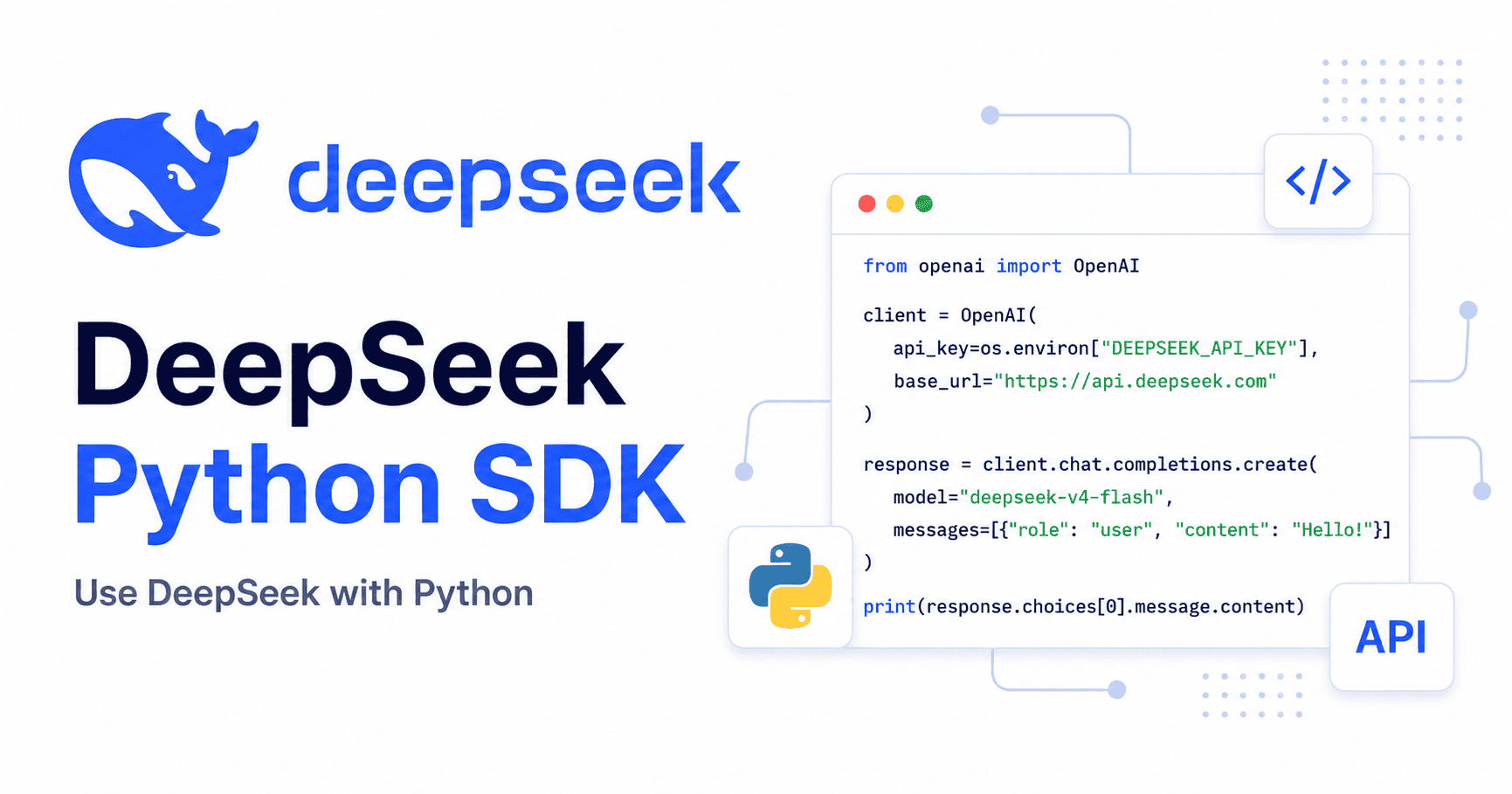
If you searched for a DeepSeek Python SDK, the most important answer is this: for normal DeepSeek API calls in Python, DeepSeek’s own documentation shows the openai Python package configured with DeepSeek’s base_url and your DeepSeek API key. You do not need to start by installing a separate package named deepseek-sdk for standard chat completions.
DeepSeek describes its API as compatible with the OpenAI and Anthropic API formats. In the official “Your First API Call” guide, the Python example installs the OpenAI SDK with pip3 install openai, imports OpenAI from openai, sets base_url="https://api.deepseek.com", and calls client.chat.completions.create(). You can verify that directly in the DeepSeek API quick-start documentation.
There are other packages and projects with similar names, including a PyPI package called deepseek-sdk and DeepSeek Harness. They are not the same thing as the normal documented Python path for calling the DeepSeek API. This guide explains which package to install, how to make your first Python request, how to stream responses, how to handle JSON output and tool calls, and how to avoid common setup mistakes.
Quick answer: do you need a separate DeepSeek Python SDK?
For most Python applications, use the official OpenAI Python SDK and point it to DeepSeek’s API endpoint.
| What you want to do | Recommended starting point | Why |
|---|---|---|
| Call DeepSeek chat models from Python | pip install openai | This is the Python path shown in DeepSeek’s official API guide. |
| Use DeepSeek through OpenAI-compatible code | OpenAI Python SDK with base_url="https://api.deepseek.com" | DeepSeek documents OpenAI-compatible API access. |
Evaluate a package named deepseek-sdk | Review it as a third-party PyPI package unless official DeepSeek docs say otherwise | A package existing on PyPI does not automatically make it the official API SDK. |
| Build or extend DeepSeek Harness | DeepSeek Harness documentation | Harness is a separate agent-harness project, not the normal API client path. |
The safe rule: follow the current official DeepSeek API documentation for normal API calls, and treat unrelated Python packages as optional third-party tools unless DeepSeek explicitly recommends them.
Install the Python package used in DeepSeek’s official example
Install the OpenAI Python SDK:
pip install openaior, if your environment uses pip3:
pip3 install openaiThe OpenAI Python library provides synchronous and asynchronous clients and is the package DeepSeek’s own Python quick-start example uses for OpenAI-compatible access. You can review the OpenAI package documentation in the OpenAI Python API library reference.
Set your DeepSeek API key safely
Do not paste your API key directly into a Python file. Use an environment variable instead.
On macOS or Linux:
export DEEPSEEK_API_KEY="your-deepseek-api-key"On Windows PowerShell:
$env:DEEPSEEK_API_KEY="your-deepseek-api-key"In production, use your deployment platform’s secret manager or environment-variable system. Avoid committing API keys to Git, notebooks, logs, screenshots, or issue reports.
Make your first DeepSeek API call in Python
Here is the simplest practical Python example using the OpenAI SDK with DeepSeek’s OpenAI-compatible endpoint.
import os
from openai import OpenAI

client = OpenAI(
    api_key=os.environ["DEEPSEEK_API_KEY"],
    base_url="https://api.deepseek.com",
)

response = client.chat.completions.create(
    model="deepseek-flash",
    messages=[
        {"role": "system", "content": "You are a helpful assistant."},
        {"role": "user", "content": "Explain Python decorators in one paragraph."},
    ],
)

print(response.choices[0].message.content)
The two DeepSeek-specific parts are:
api_key=os.environ["DEEPSEEK_API_KEY"]— reads your DeepSeek API key from the environment.base_url="https://api.deepseek.com"— points the OpenAI SDK at DeepSeek’s OpenAI-format endpoint.
DeepSeek’s current documentation lists deepseek-flash and deepseek-v4-pro as supported model IDs for the API. Check the DeepSeek Models & Pricing page before publishing or deploying code because model names and aliases can change.
Current DeepSeek model IDs for Python examples
At the time this article was verified, DeepSeek’s API documentation lists these main model IDs:
| Model ID | Current documented model version | Typical use |
|---|---|---|
deepseek-flash | DeepSeek-V4.1-Flash | Fast, lower-cost general API usage. |
deepseek-v4-pro | DeepSeek-V4-Pro-0813 | More capable workflows where quality matters more than cost or latency. |
The same official page says legacy names such as deepseek-v4-flash and deepseek-v4-flash-vision-exp are still accepted, but the corresponding models have been retired and their requests are served by DeepSeek-V4.1-Flash. For new Python code, prefer the current documented model IDs rather than copying old examples from search results.
Thinking mode in Python
DeepSeek’s current model table states that the available models support both thinking and non-thinking modes, with thinking mode as the default. The Chat Completions API reference also documents a thinking object and reasoning_effort values for controlling this behavior.
You can explicitly enable thinking mode in Python like this:
response = client.chat.completions.create(
    model="deepseek-flash",
    messages=[
        {"role": "user", "content": "Plan a small Python project for learning APIs."}
    ],
    reasoning_effort="high",
    extra_body={
        "thinking": {
            "type": "enabled"
        }
    },
)

print(response.choices[0].message.content)
You can explicitly disable thinking mode for shorter, simpler, or more predictable calls:
response = client.chat.completions.create(
    model="deepseek-flash",
    messages=[
        {"role": "user", "content": "Return a one-sentence summary of HTTP status codes."}
    ],
    extra_body={
        "thinking": {
            "type": "disabled"
        }
    },
)

print(response.choices[0].message.content)
Review the current DeepSeek Thinking Mode documentation before combining thinking mode with advanced features such as tool calls, long multi-turn histories, or streaming.
Streaming DeepSeek responses in Python
Use streaming when you want to display text incrementally instead of waiting for the full response. DeepSeek’s Chat Completions API supports stream: true, and the OpenAI Python SDK supports iterating over streamed chat completion chunks.
import os
from openai import OpenAI

client = OpenAI(
    api_key=os.environ["DEEPSEEK_API_KEY"],
    base_url="https://api.deepseek.com",
)

stream = client.chat.completions.create(
    model="deepseek-flash",
    messages=[
        {"role": "user", "content": "Explain recursion in Python with a short example."}
    ],
    stream=True,
    extra_body={
        "thinking": {
            "type": "disabled"
        }
    },
)

for chunk in stream:
    delta = chunk.choices[0].delta.content
    if delta:
        print(delta, end="", flush=True)

print()
DeepSeek’s API reference explains that streamed responses are sent as server-sent events and that streaming chunks use deltas rather than a final message object. The OpenAI streaming guide also shows the same basic pattern: set stream=True and iterate over the returned stream. See the DeepSeek Chat Completions API reference and the OpenAI streaming guide for the underlying behavior. For completion checks and cancellation, see the DeepSeek API streaming guide.
Async DeepSeek calls in Python
Use async Python when your application handles many concurrent requests, such as a FastAPI backend, worker service, or chat app with multiple simultaneous users. The OpenAI Python library includes an asynchronous client, and the same DeepSeek base_url configuration applies.
import asyncio
import os
from openai import AsyncOpenAI

client = AsyncOpenAI(
    api_key=os.environ["DEEPSEEK_API_KEY"],
    base_url="https://api.deepseek.com",
)

async def main():
    response = await client.chat.completions.create(
        model="deepseek-flash",
        messages=[
            {"role": "user", "content": "Give me three Python API design tips."}
        ],
        extra_body={
            "thinking": {
                "type": "disabled"
            }
        },
    )

    print(response.choices[0].message.content)

asyncio.run(main())
Do not mix sync and async clients in the same function. Use OpenAI for normal synchronous scripts and AsyncOpenAI for async applications.
JSON output with DeepSeek in Python
Use JSON output when you want the model’s answer in machine-readable JSON. In the Chat Completions API, DeepSeek documents response_format={"type": "json_object"}. The documentation also warns that you must instruct the model to output JSON yourself; otherwise, the model may generate whitespace until it reaches the token limit.
import json
import os
from openai import OpenAI

client = OpenAI(
    api_key=os.environ["DEEPSEEK_API_KEY"],
    base_url="https://api.deepseek.com",
)

response = client.chat.completions.create(
    model="deepseek-flash",
    messages=[
        {
            "role": "system",
            "content": "You return only valid JSON. Do not include markdown."
        },
        {
            "role": "user",
            "content": "Return a JSON object with keys: topic, difficulty, and summary. Topic: Python generators."
        },
    ],
    response_format={"type": "json_object"},
    extra_body={
        "thinking": {
            "type": "disabled"
        }
    },
)

data = json.loads(response.choices[0].message.content)
print(data)
Use this pattern for extraction, classification, formatting, and workflows where your application needs to parse the model’s answer. Review DeepSeek’s JSON Output guide before relying on JSON mode in production.
Tool calls with DeepSeek in Python
Use tool calls when a model must request a function that your application implements. This example demonstrates a one-batch function call with a fictional weather fixture, not a live weather service. DeepSeek itself does not fetch the weather, and the sample never contacts any weather provider. For real observations, replace the fixture with an authorized weather-data integration and validate its response. Official DeepSeek Tool Calls guide.
The model may request get_weather, but the application decides whether to run it. The dispatcher verifies the function name, parses the JSON, checks that location is the only field, rejects missing or non-string values, and returns a structured ok: false tool result when invalid. Invalid requests never reach the weather fixture. The output includes is_mock: true so no example result should be presented as a current reading.
import json
import os
from openai import OpenAI


class ToolArgumentError(ValueError):
    pass


def parse_weather_args(raw: str) -> str:
    """Validate the exact one-field object before executing any tool."""
    try:
        args = json.loads(raw)
    except (TypeError, json.JSONDecodeError) as exc:
        raise ToolArgumentError("Arguments must be valid JSON.") from exc

    if not isinstance(args, dict):
        raise ToolArgumentError("Arguments must be a JSON object.")
    if set(args) != {"location"}:
        raise ToolArgumentError("Exactly one field, location, is allowed.")

    location = args["location"]
    if not isinstance(location, str) or not location.strip():
        raise ToolArgumentError("location must be a nonempty string.")
    return location.strip()


def get_weather(location: str) -> dict:
    """Return a fictional fixture, NEVER live weather or a forecast."""
    if location == "Austin, TX":
        return {
            "is_mock": True,
            "record_found": True,
            "location": location,
            "temperature_f": 72,
            "condition": "clear",
            "source": "Invented tutorial fixture; NOT real-time weather",
        }
    return {
        "is_mock": True,
        "record_found": False,
        "location": location,
        "source": "No fixture for this location; no weather lookup occurred",
    }


def execute_validated_tool(call) -> dict:
    """Return an error object without calling the tool when invalid."""
    function = getattr(call, "function", None)
    if getattr(call, "type", None) != "function" or getattr(function, "name", None) != "get_weather":
        return {"ok": False, "error": {
            "code": "unsupported_tool", "message": "Only get_weather is allowed in this demo."
        }}
    try:
        location = parse_weather_args(function.arguments)
    except ToolArgumentError as exc:
        return {"ok": False, "error": {
            "code": "invalid_tool_arguments", "message": str(exc)
        }}
    return {"ok": True, "data": get_weather(location)}


TOOLS = [{
    "type": "function",
    "function": {
        "name": "get_weather",
        "description": "Return fictional weather sample data for a tutorial. No live weather access.",
        "parameters": {
            "type": "object",
            "properties": {
                "location": {"type": "string", "description": "Demo location, e.g. Austin, TX"}
            },
            "required": ["location"],
            "additionalProperties": False,
        },
    },
}]


def checked_choice(response):
    if not response.choices:
        raise RuntimeError("DeepSeek returned no response choices.")
    choice = response.choices[0]
    if choice.finish_reason not in {"stop", "tool_calls"}:
        raise RuntimeError("Incomplete response; do not execute partial tool calls.")
    return choice


def main():
    messages = [
        {"role": "system", "content": (
            "This is a tool-calling tutorial. Any weather values are fictional "
            "fixtures, NOT current observations or a real forecast. "
            "Label all example weather values as mock data."
        )},
        {"role": "user", "content": (
            "Show the fictional demo weather for the location exactly 'Austin, TX'. "
            "Is it live weather?"
        )},
    ]

    with OpenAI(
        api_key=os.environ["DEEPSEEK_API_KEY"],
        base_url="https://api.deepseek.com",
        max_retries=0,
    ) as client:
        response = client.chat.completions.create(
            model="deepseek-flash",
            messages=messages,
            tools=TOOLS,
            tool_choice="auto",
            max_tokens=1024,
            extra_body={"thinking": {"type": "disabled"}},
        )
        first = checked_choice(response)
        assistant_message = first.message
        calls = assistant_message.tool_calls or []

        if not calls:
            if first.finish_reason != "stop":
                raise RuntimeError("Tool-call finish reason without any tool calls.")
            print(assistant_message.content or "No answer was returned.")
            return
        if first.finish_reason != "tool_calls":
            raise RuntimeError("Unexpected tool calls in a final response.")

        # Demo safety cap: four calls per batch (not a DeepSeek API limit).
        if len(calls) > 4:
            raise RuntimeError("Too many tool calls for this demonstration.")
        call_ids = [call.id for call in calls]
        if any(not isinstance(cid, str) or not cid for cid in call_ids):
            raise RuntimeError("Missing tool-call ID; no tool was executed.")
        if len(set(call_ids)) != len(call_ids):
            raise RuntimeError("Duplicate tool-call IDs; no tool was executed.")

        messages.append(assistant_message)  # Keep original call IDs and fields.
        for call in calls:
            result = execute_validated_tool(call)
            messages.append({
                "role": "tool",
                "tool_call_id": call.id,
                "content": json.dumps(result),
            })

        final_response = client.chat.completions.create(
            model="deepseek-flash",
            messages=messages,
            tools=TOOLS,
            tool_choice="none",  # One tool batch; no second tool call.
            max_tokens=1024,
            extra_body={"thinking": {"type": "disabled"}},
        )
        final = checked_choice(final_response)
        if final.finish_reason != "stop" or final.message.tool_calls:
            raise RuntimeError("Expected a final text response, not another tool call.")
        print("NOTE: Weather numbers above are FICTIONAL DEMO DATA.")
        print(final.message.content or "No final text was returned.")


if __name__ == "__main__":
    main()
In this educational script, tool_choice="auto" allows the first response to choose whether a tool is needed. If it returns a batch of calls, the script executes at most four (an application-chosen safety cap), appends exactly one result for each call ID, and uses tool_choice="none" for the final response. It also rejects incomplete responses before executing tools. Because Thinking Mode is explicitly disabled, this minimal example avoids the additional reasoning_content history requirements of thinking-mode tool loops. For production agents with multiple rounds and real data sources, see our complete DeepSeek Tool Calls guide and the official request schema.
What happens if the model returns invalid arguments?
The table shows local validator outcomes, not live API responses. An invalid call produces a tool-result error object ({"ok": false, "error": {"code": "invalid_tool_arguments", "message": "Invalid input"}}), while an unapproved function name produces unsupported_tool. The program does not call get_weather in those cases.
| Requested arguments | What the sample does |
|---|---|
{"location": "Austin, TX"} | Accepts the request and returns a clearly labeled fictional fixture. |
{"location": 123} or {"location": null} | Rejects the non-string value. |
{"location": ""} | Rejects the empty location. |
{"location": "Austin, TX", "unexpected": true} | Rejects the extra field rather than ignoring it. |
{}, [], or malformed JSON | Returns a structured validation error without running the tool. |
Any function other than get_weather | Returns an unsupported_tool error without executing it. |
The demo intentionally has a fictional record only for Austin, TX. Another well-formed location receives record_found: false rather than the same fabricated temperature. In a real integration, add user authorization, bounded requests, error handling, source timestamps, and tests for genuine data freshness before describing results as “current.” Strict tool schemas can help generation, but they do not replace runtime validation or authorization.
Should you install deepseek-sdk from PyPI?
A package named deepseek-sdk exists on PyPI, but that alone does not make it the official DeepSeek API SDK for normal Python usage. PyPI package names can be created by third-party maintainers, and a package page should be treated as package metadata unless DeepSeek’s own documentation explicitly points to it.
At the time of verification, the PyPI page for deepseek-sdk describes it as “DeepSeek Python Client,” lists pip install deepseek-sdk, shows a DeepSeekClient import, lists a maintainer named sifat_ali, and shows that the latest release was uploaded on October 24, 2025. The same PyPI page also shows “Uploaded using Trusted Publishing? No” for the release files.
That does not automatically mean the package is unsafe. It means you should not treat it as the default official route unless current DeepSeek sources say so. Before using any third-party SDK in production, inspect the package metadata, repository, release history, maintainers, source code, dependency tree, and security posture.
DeepSeek API in Python vs. DeepSeek Harness Python SDK
DeepSeek Harness is a separate project from normal DeepSeek API usage. DeepSeek describes Harness as an open-source agent harness with plugins for tasks such as working with documents, analyzing data, writing code, and running agent workflows. You can review the product direction on the DeepSeek Harness page.
Use the normal OpenAI-compatible Python API setup when your goal is simple model access from your application. Look at DeepSeek Harness only when your goal is to build with the Harness runtime or extend an agent-harness environment.
| Option | Use it for | Do not confuse it with |
|---|---|---|
OpenAI Python SDK + DeepSeek base_url | Normal DeepSeek API calls from Python. | A separate DeepSeek-branded package. |
deepseek-sdk on PyPI | Optional third-party client evaluation. | The official documented default path unless DeepSeek says so. |
| DeepSeek Harness | Agent harness workflows and plugin-based automation. | Basic API access for a Python app. |
Common DeepSeek Python SDK errors and fixes
| Problem | Likely cause | Fix |
|---|---|---|
ModuleNotFoundError: No module named 'openai' | The OpenAI Python package is not installed in the active environment. | Run pip install openai in the same virtual environment that runs your script. |
| Authentication failure | Missing, wrong, or unreadable DEEPSEEK_API_KEY. | Confirm the environment variable is set and that your process can read it. |
| Request goes to OpenAI instead of DeepSeek | base_url was omitted. | Set base_url="https://api.deepseek.com" when creating the client. |
| Unsupported model or unexpected model behavior | The code copied an old model name from an outdated tutorial. | Use model IDs from the current DeepSeek Models & Pricing page. |
| Very long or unexpected reasoning output | Thinking mode is enabled by default. | Explicitly disable thinking for simple calls or configure reasoning_effort intentionally. |
| Streaming parser prints nothing | The code reads message.content instead of chunk deltas. | Read chunk.choices[0].delta.content during streaming. |
| JSON parsing fails | The response was not valid JSON or was truncated. | Use response_format={"type": "json_object"}, instruct the model to output JSON, and handle parsing errors. |
| Tool call crashes the app | The app executed model-generated arguments without validation. | Allowlist function names; reject malformed, missing, non-string, or additional arguments; return a controlled tool error instead of executing invalid calls. |
Code using DeepSeekClient fails | The example came from a third-party package, not the OpenAI SDK. | Use the OpenAI SDK syntax shown in DeepSeek’s official docs, or install and review the third-party package intentionally. |
Production checklist for using DeepSeek in Python
- Install the package used by the official DeepSeek Python example:
openai. - Set
base_url="https://api.deepseek.com". - Store
DEEPSEEK_API_KEYoutside source code. - Use current model IDs from DeepSeek’s documentation.
- Choose thinking mode intentionally instead of relying on defaults.
- Handle streaming deltas correctly when
stream=True. - Use JSON mode only when you also instruct the model to output JSON.
- Validate tool names and exact argument fields at runtime; never treat a fictional demo result as live data.
- Pin dependency versions for production deployments where appropriate.
- Review third-party packages before installing them in production.
- Log request IDs, model IDs, and failure categories without logging secrets.
- Test authentication, network failures, invalid JSON, and timeout paths before launch.
Frequently asked questions
Is there an official DeepSeek Python SDK?
For normal DeepSeek API usage, the official documentation currently shows the OpenAI Python SDK configured with DeepSeek’s base_url and API key. Do not assume a separate PyPI package is official unless DeepSeek’s own documentation says so.
What package should I install for DeepSeek API in Python?
Install openai for the standard OpenAI-compatible path shown in DeepSeek’s official API guide:
pip install openaiWhat is the DeepSeek base URL for Python?
For OpenAI-compatible API calls, DeepSeek’s current documentation lists:
https://api.deepseek.comCan I use the OpenAI Python SDK with DeepSeek?
Yes. That is the Python approach shown in DeepSeek’s current quick-start documentation. Configure the OpenAI client with your DeepSeek API key and DeepSeek’s base_url.
Should I use pip install deepseek-sdk?
Not as the default starting point for normal DeepSeek API usage. A deepseek-sdk package exists on PyPI, but you should evaluate it as a third-party package unless current official DeepSeek documentation explicitly recommends it.
What model should I use in Python?
Use a current documented model ID such as deepseek-flash or deepseek-v4-pro. Check the DeepSeek Models & Pricing page before deployment because model aliases and availability can change.
Does DeepSeek support streaming in Python?
Yes. Set stream=True in client.chat.completions.create() and iterate over the returned chunks. Read incremental text from chunk.choices[0].delta.content.
Does DeepSeek support async Python?
Yes, when using the OpenAI Python library’s async client pattern. Create an AsyncOpenAI client with DeepSeek’s base_url and await client.chat.completions.create().
What is DeepSeek Harness Python SDK?
DeepSeek Harness is a separate agent-harness project. It is relevant if you are building or extending Harness workflows, not if you only want a simple Python client for DeepSeek chat completions.