
Last reviewed: October 16, 2026
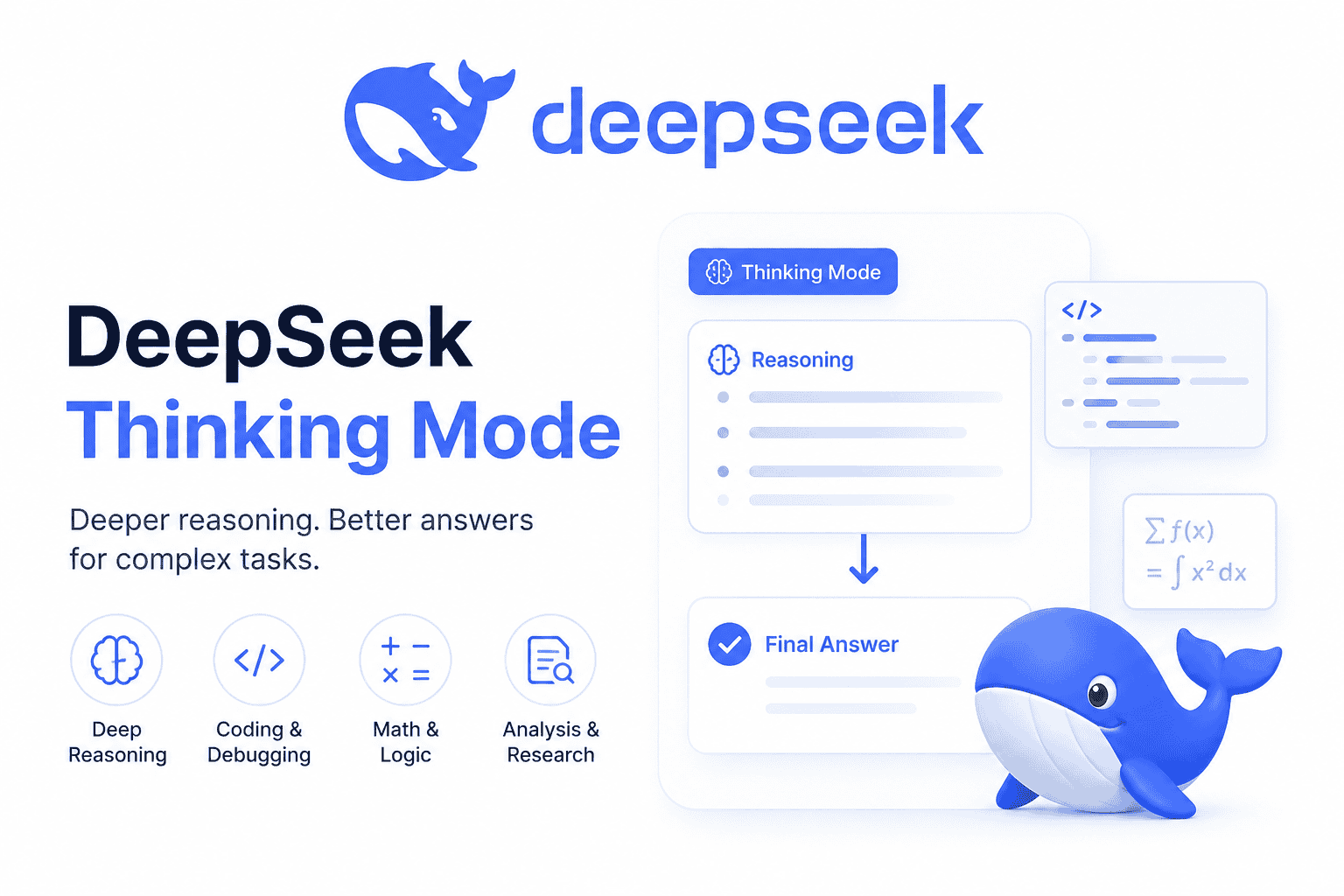
DeepSeek Thinking Mode is the reasoning mode in DeepSeek’s API. When it is enabled, the model can generate reasoning before returning the final answer. In Chat Completions, that reasoning is returned separately as reasoning_content, while user-facing answer text is returned as content.
The most important implementation detail is that Thinking Mode is currently enabled by default, with the default reasoning effort set to high. You can explicitly enable it, disable it, or choose an effort level such as low, high, or max. DeepSeek documents this behavior in its Thinking Mode guide and Chat Completions API reference.
Thinking Mode is useful for complex reasoning, coding, debugging, agents, and multi-step technical work. It is not always the best production default. For simple Q&A, classification, short extraction, or formatting-sensitive tasks, test non-thinking mode as an alternative; disabling reasoning does not guarantee speed, accuracy, or schema compliance.
Scope: The examples below use the direct DeepSeek /chat/completions endpoint. They do not describe the consumer app’s controls or a third-party gateway. The Responses API has different request fields and streaming events. Also, top_p does not behave identically on Flash and Pro; use the model-specific table below.
Quick answer: is DeepSeek Thinking Mode enabled by default?
Yes. DeepSeek’s current API documentation says Thinking Mode is enabled by default, and the default effort is high. In OpenAI-compatible Chat Completions, you can control it with the thinking object and reasoning_effort.
| Task | Use this | Practical meaning |
|---|---|---|
| Use the default behavior | Omit thinking controls | DeepSeek currently uses Thinking Mode with high effort by default. |
| Enable Thinking Mode explicitly | extra_body={"thinking": {"type": "enabled"}} | Makes the request’s thinking behavior clear in your code. |
| Disable Thinking Mode explicitly | extra_body={"thinking": {"type": "disabled"}} | Uses non-thinking mode for faster or simpler requests. |
| Disable through effort | reasoning_effort="none" | The API reference says none disables Thinking Mode. |
| Control reasoning depth | reasoning_effort="low", "high", or "max" | Lets you trade speed and token usage against deeper reasoning. |
The safe production approach is to set the mode intentionally instead of relying on defaults. That makes your code easier to audit when DeepSeek changes model behavior or when different teams reuse the same API wrapper.
Current model names for Thinking Mode
The current Chat Completions reference lists deepseek-flash and deepseek-v4-pro. The model-list documentation identifies their model families and reasoning-effort capabilities. Select the API model explicitly rather than treating Thinking Mode as a separate model name.
| Model ID | Documented model family | Thinking support | Notes |
|---|---|---|---|
deepseek-flash | DeepSeek-V4.1-Flash | Thinking and non-thinking modes | Use this current Flash ID in new code. Legacy Flash aliases are compatibility routes, not additional models. |
deepseek-v4-pro | DeepSeek-V4-Pro | Thinking and non-thinking modes | Pro is a separate API service. Its top_p behavior differs from Flash. |
Older tutorials may use deepseek-reasoner or deepseek-chat. DeepSeek’s change log announced July 24, 2026 as their discontinuation date; the current request reference lists the two IDs above. The change log also confirms continued Pro service after September 14, 2026, so do not describe Pro as a Flash alias.
How to enable DeepSeek Thinking Mode in Python
The examples use the OpenAI Python SDK with DeepSeek. Install or update it in the Python environment you will run. Keep your DeepSeek API key outside source code; executing a live example requires sufficient API balance.
python -m pip install --upgrade openaiOn macOS or Linux:
export DEEPSEEK_API_KEY="your-api-key"On Windows PowerShell:
$env:DEEPSEEK_API_KEY="your-api-key"Enable Thinking Mode explicitly with the following program. Later snippets reuse its initialized client and completed_answer helper; run the section you need rather than sending every example as one batch. Close the client with client.close() when finished, or use a client context manager in a standalone application.
import os
from openai import OpenAI

api_key = os.environ.get("DEEPSEEK_API_KEY")
if not api_key:
    raise RuntimeError("Set DEEPSEEK_API_KEY before running this example.")

client = OpenAI(
    api_key=api_key,
    base_url="https://api.deepseek.com",
    max_retries=0,
)


def completed_answer(response):
    """Require a normally completed, non-empty text answer for these demos."""
    if not response.choices:
        raise RuntimeError("No response choice was returned.")
    choice = response.choices[0]
    if choice.finish_reason != "stop":
        raise RuntimeError(f"Not a completed text answer: {choice.finish_reason}")
    text = choice.message.content
    if not isinstance(text, str) or not text.strip():
        raise RuntimeError("No usable final-answer text was returned.")
    return text


response = client.chat.completions.create(
    model="deepseek-flash",
    messages=[{
        "role": "user",
        "content": "Explain why database indexes can speed up reads but slow down writes.",
    }],
    reasoning_effort="high",
    max_tokens=4096,
    extra_body={"thinking": {"type": "enabled"}},
)

answer = completed_answer(response)
reasoning = getattr(response.choices[0].message, "reasoning_content", None)
print(answer)
# Reasoning is available separately; do not log it by default.
The example retains reasoning in a separate variable and prints only the completed answer. max_tokens=4096 is an illustrative output cap, not DeepSeek’s maximum or a guarantee that reasoning will leave room for a final answer. The helper rejects a missing, empty, or non-normally completed text result; it is not a tool-loop handler. Automatic SDK retries are disabled with max_retries=0. See the SDK reference for retry settings and extra request fields.
How to disable DeepSeek Thinking Mode
For a simple task, explicitly disable thinking and omit any reasoning-effort value that would enable it. This example requests a short classification; validate the returned category before your application uses it.
response = client.chat.completions.create(
    model="deepseek-flash",
    messages=[{
        "role": "user",
        "content": (
            "Return only billing, technical, or account for this ticket: "
            "I cannot reset my password."
        ),
    }],
    max_tokens=512,
    extra_body={"thinking": {"type": "disabled"}},
)

print(completed_answer(response))
You can also disable Thinking Mode with reasoning_effort="none", according to DeepSeek’s Chat Completions reference. In production code, avoid sending conflicting controls such as thinking: enabled and reasoning_effort: none in the same request.
response = client.chat.completions.create(
    model="deepseek-flash",
    messages=[{
        "role": "user",
        "content": (
            "Return only billing, technical, or account for this ticket: "
            "I cannot reset my password."
        ),
    }],
    reasoning_effort="none",
    max_tokens=512,
)

print(completed_answer(response))
How reasoning_effort works
reasoning_effort controls whether Thinking Mode is used and how much reasoning effort the model should apply. DeepSeek’s current docs list none, low, high, and max. The default effort is high.
| Value | Effect | Candidate use to evaluate |
|---|---|---|
none | Disables Thinking Mode. | Simple, high-throughput, or formatting-sensitive tasks. |
low | Enables thinking with lower effort. | Light reasoning when responsiveness matters. |
high | Enables thinking with the documented default effort. | General reasoning, coding, and debugging. |
max | Enables the highest documented effort level. | Harder tasks where additional reasoning is worth evaluating. |
DeepSeek’s Thinking Mode guide also documents compatibility aliases: minimal maps to low, medium and xhigh map to high, and ultra maps to max. For new code, use the canonical values none, low, high, and max.
These levels are not fixed token budgets or guaranteed quality tiers. Measure latency, output length, and successful-task cost on your workload. Use reasoning_effort to choose reasoning effort; it is not interchangeable with top_p, which is a model-dependent sampling setting.
reasoning_content vs content
The Chat Completions response schema separates two text fields; either can be empty or absent in a particular response or streaming delta:
| Field | Meaning | Typical product use |
|---|---|---|
reasoning_content | The model’s reasoning output in Thinking Mode. | Developer inspection, debugging, internal evaluation, or intentionally visible reasoning experiences. |
content | The final answer. | The normal user-facing response. |
Do not automatically display reasoning_content to end users. It can be long, implementation-specific, and unsuitable for every product experience. It may also contain sensitive prompt context if your application sends sensitive data, so avoid logging it unnecessarily.
For most interfaces, display message.content as the answer. Treat returned reasoning as model-generated text, not proof that the final answer is correct. Keep display choices separate from API history: a tool-enabled conversation may still need its reasoning fields even when the interface hides them.
Streaming DeepSeek Thinking Mode responses
DeepSeek can stream delta.reasoning_content and delta.content separately. Check both independently and preserve whitespace. The following focused example reuses client, keeps partial text in memory, captures usage when available, and checks the finish reason instead of equating iterator exhaustion with success.
import sys

reasoning_parts = []
answer_parts = []
usage = None
finish_reason = None
failure = None

try:
    stream = client.chat.completions.create(
        model="deepseek-flash",
        messages=[{
            "role": "user",
            "content": "Design a simple retry strategy for a Python API client.",
        }],
        stream=True,
        stream_options={"include_usage": True},
        reasoning_effort="high",
        max_tokens=4096,
        extra_body={"thinking": {"type": "enabled"}},
    )
    with stream:
        for chunk in stream:
            chunk_usage = getattr(chunk, "usage", None)
            if chunk_usage is not None:
                usage = chunk_usage

            for choice in chunk.choices:
                if choice.finish_reason is not None:
                    finish_reason = choice.finish_reason
                delta = choice.delta
                reasoning_delta = getattr(delta, "reasoning_content", None)
                content_delta = getattr(delta, "content", None)

                if isinstance(reasoning_delta, str) and reasoning_delta:
                    reasoning_parts.append(reasoning_delta)
                if isinstance(content_delta, str) and content_delta:
                    answer_parts.append(content_delta)
                    print(content_delta, end="", flush=True)
except KeyboardInterrupt:
    failure = "Cancelled by the user"
except Exception as exc:
    failure = f"Stream error: {type(exc).__name__}"
finally:
    reasoning_text = "".join(reasoning_parts)
    final_answer = "".join(answer_parts)
    print()

if usage is None:
    print("Usage unavailable; keep cost pending, not zero.", file=sys.stderr)

if failure is not None:
    raise RuntimeError(f"{failure}. Partial answer remains in final_answer.")
if finish_reason != "stop":
    raise RuntimeError(f"Not a completed text answer: {finish_reason}")
if not final_answer.strip():
    raise RuntimeError("No usable final-answer text was returned.")
The Chat Completions reference specifies usage on the last JSON chunk before data: [DONE], with or without include_usage. Setting that option adds usage: null to earlier chunks. The last chunk contains one choice with a finish reason; there is no separate usage-only chunk with empty choices.
The SDK handles the wire-level terminator; this snippet checks the exposed finish reason and leaves missing usage unknown. Capturing an object is not validating its counters or settling a bill. The buffers are not durable storage. For cancellation, raw SSE parsing, and browser delivery, use our DeepSeek streaming guide.
Multi-turn conversations without tools
For normal multi-turn conversations without tools, DeepSeek says previous reasoning_content does not need to be passed back. If it is passed back in a request that does not carry tools, the API ignores it and does not concatenate it into the next context.
For a no-tool conversation, append the completed answer as an assistant message. This avoids resending reasoning that the API does not need. Do not apply this reduced-history pattern to a conversation whose subsequent requests carry tools.
messages = [
    {"role": "user", "content": "Which is greater, 9.11 or 9.8?"}
]

first = client.chat.completions.create(
    model="deepseek-flash",
    messages=messages,
    reasoning_effort="high",
    max_tokens=4096,
    extra_body={"thinking": {"type": "enabled"}},
)

# No tools are used: keep the completed answer, not the reasoning trace.
messages.append({"role": "assistant", "content": completed_answer(first)})
messages.append({
    "role": "user",
    "content": "Now explain the comparison in one sentence.",
})

second = client.chat.completions.create(
    model="deepseek-flash",
    messages=messages,
    reasoning_effort="high",
    max_tokens=4096,
    extra_body={"thinking": {"type": "enabled"}},
)

print(completed_answer(second))
Tool calls, reasoning history, and 400 errors
Thinking Mode supports tool calls, but the official reasoning-history rules change when a request carries tools. Preserve all previous assistant reasoning, including turns with no tool call; missing required history can return HTTP 400.
Inside an existing tool-enabled loop, append the full assistant message returned by the SDK. It preserves content, reasoning_content, and tool_calls. The following is a history-preservation fragment, not a complete tool executor:
# Fragment for your existing tool-enabled loop, immediately after its API call.
assistant_message = response.choices[0].message
messages.append(assistant_message)
# Validate and execute approved tool calls, then append their paired results.
Do not rebuild a partial assistant message that drops required fields. Append the results of approved tool calls with their matching IDs before continuing. Hiding reasoning in the interface, omitting it from ordinary logs, and retaining it in protected conversation state are separate decisions.
In this Chat Completions workflow, tool_choice="required" and forcing a named function are not supported while thinking is enabled; the request reference specifies HTTP 400. Disable thinking first and remove a conflicting non-none effort setting. This example defines its own tool and starts a fresh request:
tools = [{
    "type": "function",
    "function": {
        "name": "classify_ticket",
        "description": "Return the category of the supplied support ticket.",
        "parameters": {
            "type": "object",
            "properties": {
                "category": {
                    "type": "string",
                    "enum": ["billing", "technical", "account"],
                }
            },
            "required": ["category"],
            "additionalProperties": False,
        },
    },
}]

response = client.chat.completions.create(
    model="deepseek-flash",
    messages=[{
        "role": "user",
        "content": "Classify this ticket: I cannot reset my password.",
    }],
    tools=tools,
    tool_choice="required",
    max_tokens=512,
    extra_body={"thinking": {"type": "disabled"}},
)

if not response.choices:
    raise RuntimeError("No response choice was returned.")
choice = response.choices[0]
if choice.finish_reason != "tool_calls" or not choice.message.tool_calls:
    raise RuntimeError("No complete tool-call response was returned.")
print(choice.message.tool_calls)
# This example requests tool arguments only; it does not execute a function.
Tool calls also require the normal security boundary: the model requests a function, but your application executes it. Allowlist tool names, parse and validate arguments, enforce user authorization, and return each tool result with the correct tool_call_id.
Parameters that behave differently in Thinking Mode
Some controls are ignored during thinking; top_p requires an additional model check. The table summarizes the direct Chat Completions interface, not every API that accepts similar parameter names.
| Parameter | Documented behavior | Practical guidance |
|---|---|---|
temperature | No effect in Thinking Mode. | Do not use it to tune thinking output. |
presence_penalty and frequency_penalty | Deprecated; ignored by the current Chat Completions API. | Disabling thinking does not restore these penalties. |
top_p | Depends on the model and mode; see the next table. | Do not reuse Flash’s sampling rule for Pro. |
max_tokens | When omitted: 8K in non-thinking mode, 64K in thinking mode, or 128K with reasoning_effort="max". | An explicit cap bounds generated output, not the entire bill or the final-answer length alone. |
tool_choice="required" or a named function | Not supported with Thinking Mode in Chat Completions. | Disable thinking before forcing tool selection. |
How top_p differs between Flash and Pro
| Model | Mode | Effective behavior | What to do |
|---|---|---|---|
deepseek-flash | Thinking | Effective range: 0.95–1.0. Lower valid positive values are treated as 0.95. | Use a valid value in the effective range when testing sampling. |
deepseek-flash | Non-thinking | Fixed at 1.0; your value is ignored. | Do not expect top_p changes to tune this mode. |
deepseek-v4-pro | Thinking | Your value is ignored. Fixed at 0.95 when tools is present, otherwise 1.0. | Choose reasoning effort instead of trying to override this fixed sampling behavior. |
deepseek-v4-pro | Non-thinking | The supplied top_p takes effect. | Evaluate it as a sampling control; do not tune it and temperature simultaneously. |
Documentation note: At review time, the generic top_p entry in the Chat Completions reference still describes Flash-style behavior without a Pro distinction. This table follows the explicit per-model rules in the Thinking Mode guide, also stated in the Responses compatibility table. The latter corroborates sampling behavior, not interchangeable request syntax.
An accepted parameter is not necessarily an active parameter. For example, sending top_p=0.5 to Pro with thinking enabled does not override its documented fixed value. Sampling controls also do not replace output validation or guarantee a correct answer.
For JSON output, set response_format={"type": "json_object"} and explicitly request JSON in the prompt. DeepSeek’s JSON guide also warns about empty content and truncation. Parse and validate the result against your requirements; turning off thinking or adjusting sampling alone does not enforce your schema.
Thinking Mode vs non-thinking mode
Thinking Mode is a tool, not a universal upgrade. Use it when extra reasoning is worth the additional complexity. Disable it when speed, cost, or output predictability matters more than multi-step reasoning.
| Consider Thinking Mode for | Consider non-thinking mode for |
|---|---|
| Complex reasoning | Simple Q&A |
| Math and logic | Short summarization |
| Coding and debugging | Classification |
| Agent planning | Fixed-format extraction |
| Multi-step technical analysis | Low-latency chat |
| Tasks where extra reasoning may improve the result | High-throughput tasks where extra reasoning adds little value |
Choose based on measured answer quality, latency, completion tokens, error rate, retries, and cost per successful task. Extra reasoning may consume output tokens; do not assume a fixed multiplier. The usage schema includes reasoning_tokens within the completion breakdown, so do not add it to completion_tokens again. Our DeepSeek API billing guide covers cost calculation and missing-usage reconciliation; check current model pricing for applicable rates.
Common mistakes and fixes
| Problem | Likely cause | Fix |
|---|---|---|
| Reasoning appears when you expected non-thinking output | Thinking is enabled by default, or a wrapper sends an enabling effort value. | Set thinking.type="disabled" or reasoning_effort="none"; remove conflicting controls. |
| Reasoning appears in the answer UI | The renderer mixes reasoning_content with content. | Keep separate fields and display only the answer unless reasoning is intentionally visible. |
| Streaming combines reasoning with the answer | Both deltas are appended to the same buffer. | Check and accumulate both fields independently. |
required or a named tool returns 400 | Thinking is enabled in a Chat Completions request. | Disable thinking before forcing the tool choice. |
| A tool-enabled conversation returns 400 | Required reasoning history or paired tool results may be missing. | Preserve full assistant messages and matching tool-result IDs; inspect the error rather than assuming every 400 has one cause. |
temperature does not change thinking output | It has no effect in this mode. | Choose reasoning_effort. Only Flash lets you additionally tune thinking-mode top_p within 0.95–1.0; Pro ignores your value. |
top_p does not affect Pro with thinking enabled | Pro fixes its sampling value in this mode. | Do not tune Pro thinking through top_p. It is effective for Pro in non-thinking mode. |
top_p does not affect Flash without thinking | Flash fixes it at 1.0 in non-thinking mode. | Remove the inactive setting instead of interpreting it as a working control. |
| Answer is missing or cut off | An output cap, interruption, filtering, or another stopping condition may apply. | Inspect finish_reason; do not present reasoning or partial text as a completed answer. |
Old examples use deepseek-reasoner | The tutorial predates current model naming. | Use a current documented model ID, then set its thinking controls explicitly. |
Production checklist
- Set the API model and Thinking Mode explicitly.
- Choose
reasoning_effortintentionally and remove conflicting controls. - Check
top_pagainst both the model and mode; Pro thinking and Flash non-thinking ignore the supplied value. - Keep reasoning separate from the final answer and ordinary logs.
- Preserve required assistant reasoning and paired results in tool-enabled history, even when the UI hides it.
- Set an appropriate output cap and inspect the finish reason before accepting an answer.
- Keep unavailable usage unknown; validate returned counts before calculating cost.
- Disable thinking before required or named tool selection in Chat Completions.
- Do not rely on temperature or deprecated penalties to control thinking output.
- Test quality, latency, token usage, and failures on representative tasks, and recheck documentation when upgrading.
Frequently asked questions
What is DeepSeek Thinking Mode?
DeepSeek Thinking Mode is the API mode where the model generates reasoning before the final answer. The reasoning is returned in reasoning_content, while the final answer is returned in content.
Is DeepSeek Thinking Mode enabled by default?
Yes. DeepSeek’s current documentation says Thinking Mode is enabled by default and the default effort is high.
How do I turn off DeepSeek Thinking Mode?
Use extra_body={"thinking": {"type": "disabled"}} in an OpenAI-compatible Chat Completions request, or set reasoning_effort="none" according to the current API reference.
What is reasoning_effort?
reasoning_effort controls whether Thinking Mode is used and how much reasoning effort the model should apply. Current values are none, low, high, and max.
What is reasoning_content?
reasoning_content is the reasoning output returned by the model in Thinking Mode. It is separate from content, which is the final answer.
Is DeepSeek Thinking Mode the same as deepseek-reasoner?
No. deepseek-reasoner is a legacy model name used in older DeepSeek API versions and tutorials. Current DeepSeek API documentation lists deepseek-flash and deepseek-v4-pro as the model IDs to use.
Does DeepSeek Thinking Mode work with streaming?
Yes. Streaming chunks can include delta.reasoning_content for reasoning and delta.content for final answer text. Your stream parser should handle them separately.
Does DeepSeek Thinking Mode work with tool calls?
Yes. For requests carrying tools, preserve previous assistant reasoning completely, including turns with no tool call. Keep validated tool results paired with the correct tool_call_id.
Why do I get a 400 error with tool calls?
Common causes include dropping required reasoning_content in a tool-enabled thinking workflow, using tool_choice="required" while Thinking Mode is enabled, or forcing a named function while Thinking Mode is enabled.
Does temperature work in DeepSeek Thinking Mode?
No. It has no effect in Thinking Mode. The current Chat Completions reference also marks presence_penalty and frequency_penalty as deprecated and ineffective, rather than controls restored by disabling thinking.
Does top_p work with DeepSeek Thinking Mode?
It depends on the model. Flash accepts an effective range of 0.95–1.0 while thinking; Pro ignores the supplied value in that mode, using 0.95 with tools present and 1.0 otherwise. Without thinking, Flash fixes it at 1.0, while Pro honors it. See the model-specific table.
Should I use Thinking Mode for every request?
No. Evaluate thinking for coding, debugging, planning, math, and other multi-step tasks. Evaluate non-thinking for simpler or formatting-sensitive tasks, but validate outputs in either mode; no setting guarantees correctness or a particular schema.
Does Thinking Mode cost more?
It can increase generated-token usage or latency. Do not assume a fixed surcharge or count reasoning tokens twice: the usage schema reports them as part of completion tokens. Measure cost for the selected model and workload, including retries.
Can I hide the reasoning from users?
Yes. Display only message.content. Hiding reasoning is independent of keeping required tool-history fields: do not delete reasoning_content that a later tool-enabled request needs. For no-tool conversations, prior reasoning does not need to be replayed.
Bottom line
DeepSeek Thinking Mode is powerful, but it is not a setting to ignore. It is enabled by default, returns reasoning separately from the final answer, changes how several parameters behave, and has special rules when tools are involved.
Choose the mode deliberately, keep reasoning and answer text separate, and preserve full assistant history when tools require it. Match sampling controls to the model: Flash and Pro do not share one top_p rule. Validate the output and usage before treating the request as a successful, accounted-for result.
Official references
- DeepSeek Thinking Mode: controls, per-model sampling, and reasoning history
- DeepSeek Chat Completions: request fields, finish reasons, and usage
- DeepSeek model-list documentation
- DeepSeek Responses API: separate protocol and model-specific compatibility
- DeepSeek Tool Calls guide
- DeepSeek JSON Output guide
- DeepSeek Change Log
- DeepSeek Models & Pricing: check current rates
- OpenAI Python SDK reference